
Find the hidden spend in your cloud storage bill
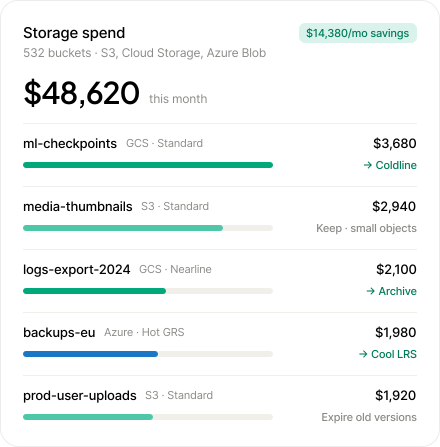




Optimize cloud storage the way each provider prices it

Amazon S3

Google Cloud Storage

Azure Blob Storage
Where storage spend hides beyond stored GB
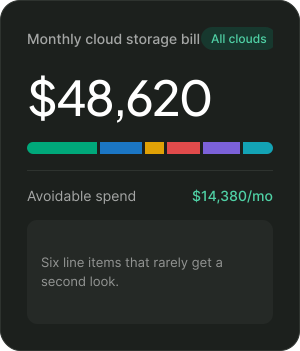
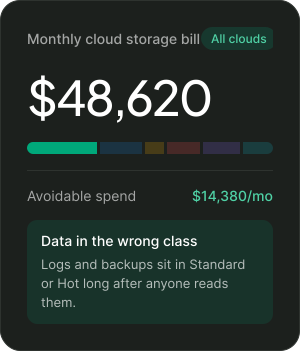
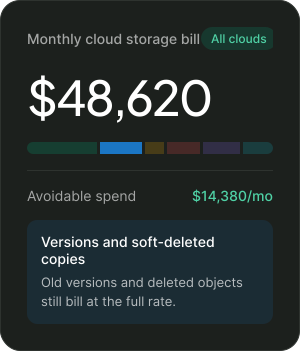
Know what a storage change will cost before you make it
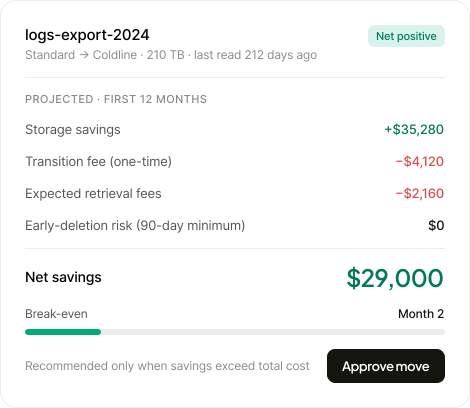
Transition and retrieval fee
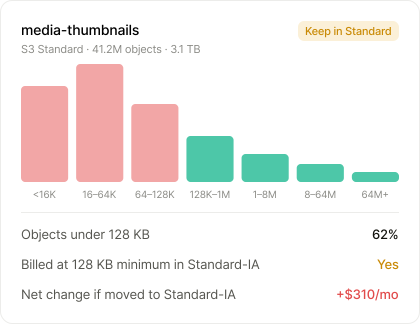
Small-object cost
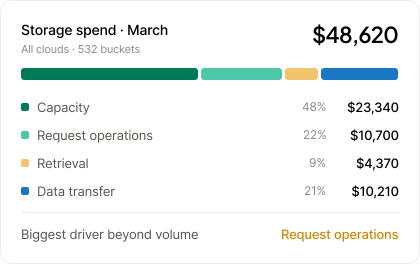
Capacity, operations and egress
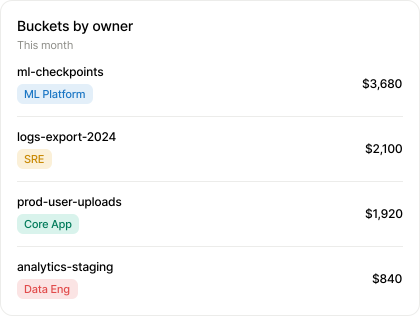
Bucket-level cost
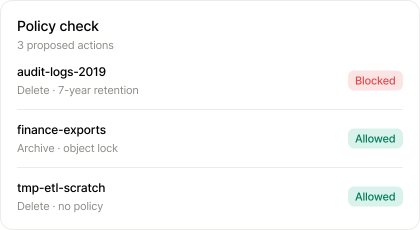
Retention policy validation
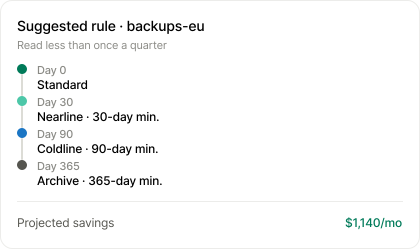
Lifecycle rule recommendations
See your storage costs and identify the drivers
Everything that keeps storage spend in check
Redundancy and location review
Data transfer tracing
Hidden capacity cleanup
Storage policies and alerts
Unit economics
Storage in the full cost view
Start a proof of concept in your own environment and validate the savings, net of fees, before you commit.
30%
36 hrs
$2M+
As of 2026, S3 Standard costs about $0.023 per GB per month in us-east-1, and colder classes go as low as about $0.00099 per GB for Glacier Deep Archive. That rate covers storage only. Requests, retrieval fees on colder classes, minimum storage durations and data transfer out of AWS are billed on top, so the per-GB price is rarely the full Amazon S3 pricing picture.
As of 2026, Google Cloud Storage pricing starts at about $0.020 per GB per month for Standard in a US region and drops to about $0.0012 for Archive. Multi-region buckets cost more, and Nearline, Coldline and Archive add retrieval fees and 30-, 90- or 365-day minimum storage durations. Noncurrent versions and soft-deleted objects are billed too, so a Google storage pricing estimate based on live data alone usually comes in low.
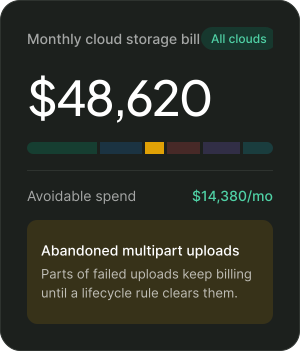
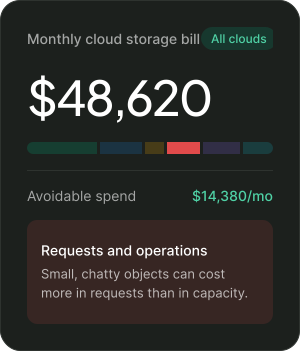
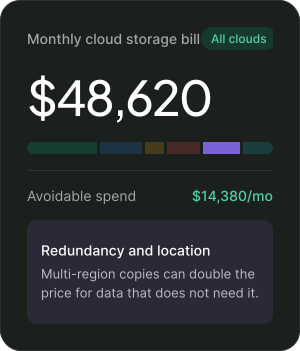
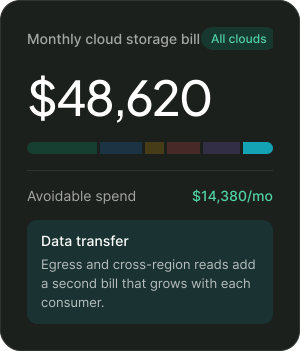
The usual causes are data left in S3 Standard after it stops being read, old object versions, incomplete multipart uploads, request charges from many small objects, and data transfer between regions or out to the internet. None of these show up when you look at the bill by total GB.
It depends on the storage class, region, redundancy and how often the data is read. On list price for hot object storage, Azure Blob Hot (about $0.018 per GB), Google Cloud Standard (about $0.020) and Amazon S3 Standard (about $0.023) are close. Requests, retrieval and egress usually decide the total, so compare cloud storage pricing against your actual access patterns. OneLens breaks spend down this way across Amazon S3, Google Cloud Storage and Azure Blob.
Yes. Transition fees, retrieval fees, minimum storage durations and minimum billable object sizes can outweigh the savings, especially for small or frequently read objects. OneLens recommends a move only when the savings exceed the total cost.
Usually not. Objects under 128 KB are never moved out of the Frequent Access tier, so they get no storage savings, although they also don't pay the monitoring fee. Buckets with millions of small objects tend to save more from lifecycle rules, or from combining small files, than from Intelligent-Tiering. OneLens checks object sizes before it recommends any tiering change.
Setting up a lifecycle rule is free, but each transition to another storage class is billed per 1,000 objects. Moving data out early can also trigger minimum storage duration charges. Rules apply to existing objects that match the filter as well as new ones, and S3 usually processes them once a day. For buckets with many small objects, the transition fees can outweigh the storage savings.
Autoclass suits buckets with unpredictable access because it moves each object based on actual reads and charges no retrieval or early-deletion fees. It does add a per-object management fee. Lifecycle rules suit data that ages predictably, such as logs and backups, or data that must reach a specific class on a fixed schedule. You can combine Autoclass with lifecycle rules that only delete objects.
S3 Storage Lens reports noncurrent version bytes and incomplete multipart upload bytes for each bucket, which shows where the waste sits. Lifecycle rules can expire noncurrent versions after a set number of days and abort incomplete uploads automatically. Check retention requirements and Object Lock settings before you expire versions. OneLens finds this data across buckets and recommends rules that respect each bucket's retention policy.
Choose by how often the data is read and how long it will stay. Weigh the storage price against read, write and retrieval charges. Cool, Cold and Archive have minimum storage durations of 30, 90 and 180 days. Archive data is offline and takes hours to rehydrate. From July 2026, Cool, Cold and Archive also bill a 128 KiB minimum object size for new storage accounts, which makes tiering small blobs less attractive.


