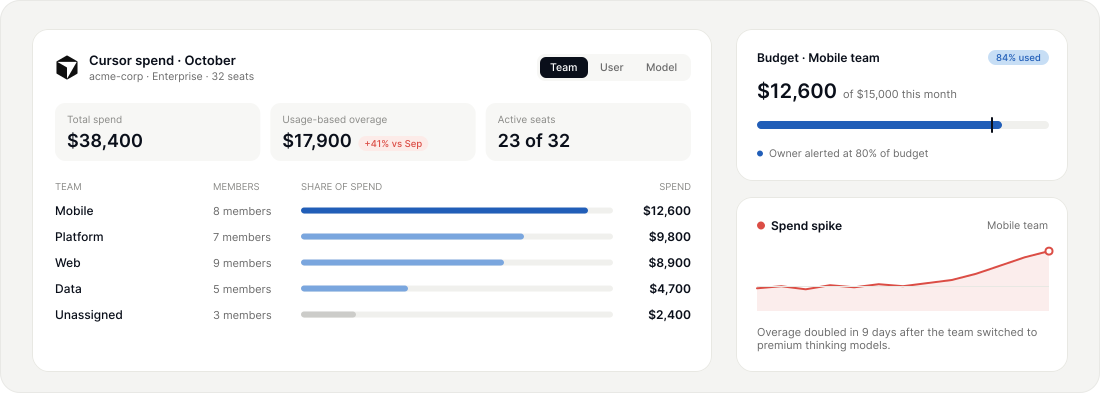
Track Cursor spend by team and user
30%
36 hrs
$2M+
12+
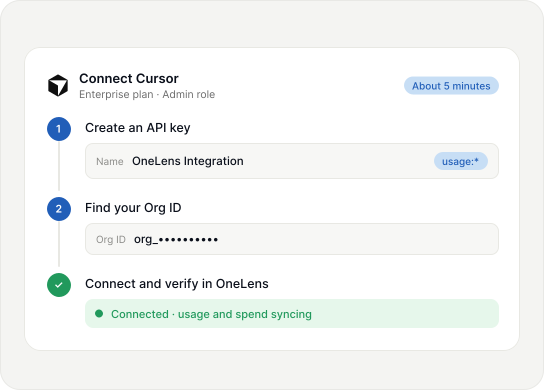
Connect Cursor in about 5 minutes
OneLens calls four Cursor Organization Admin API endpoints over HTTPS with TLS 1.2 or later and stores your key encrypted at rest. You need a Cursor Enterprise plan and a user with the Admin role.
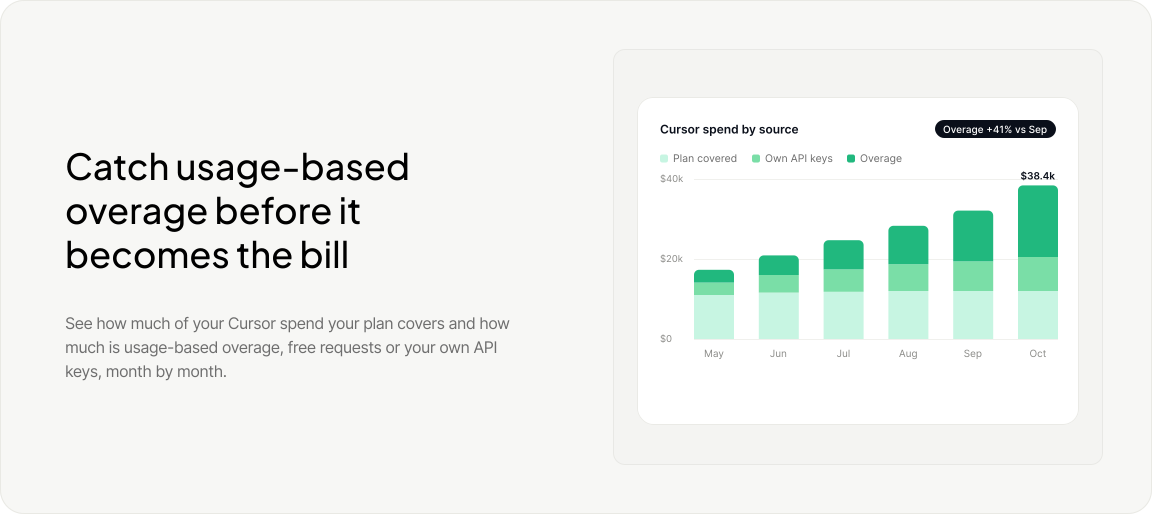
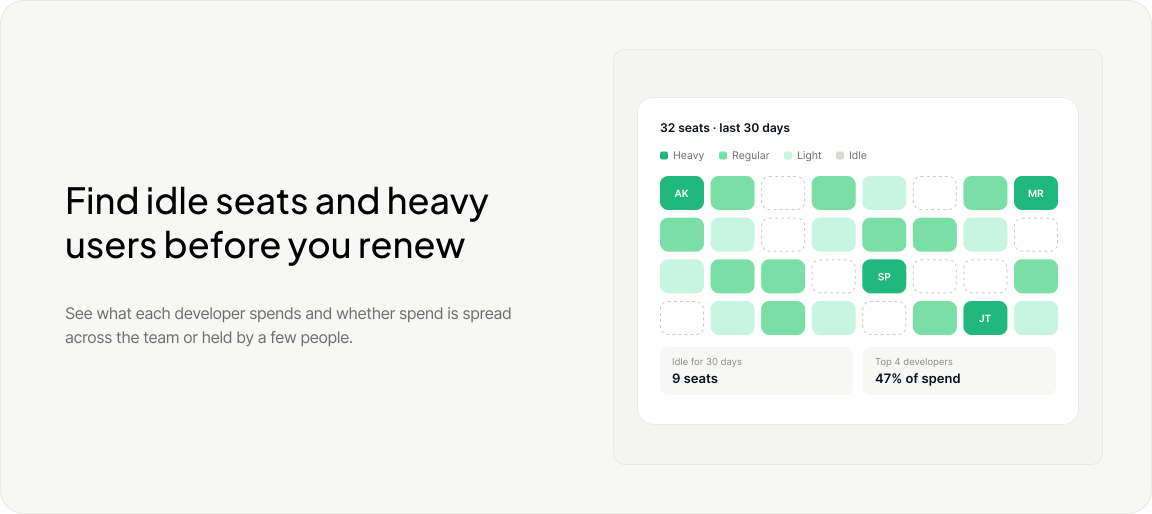
Find the overage, idle seats and agent runs inside Cursor spend
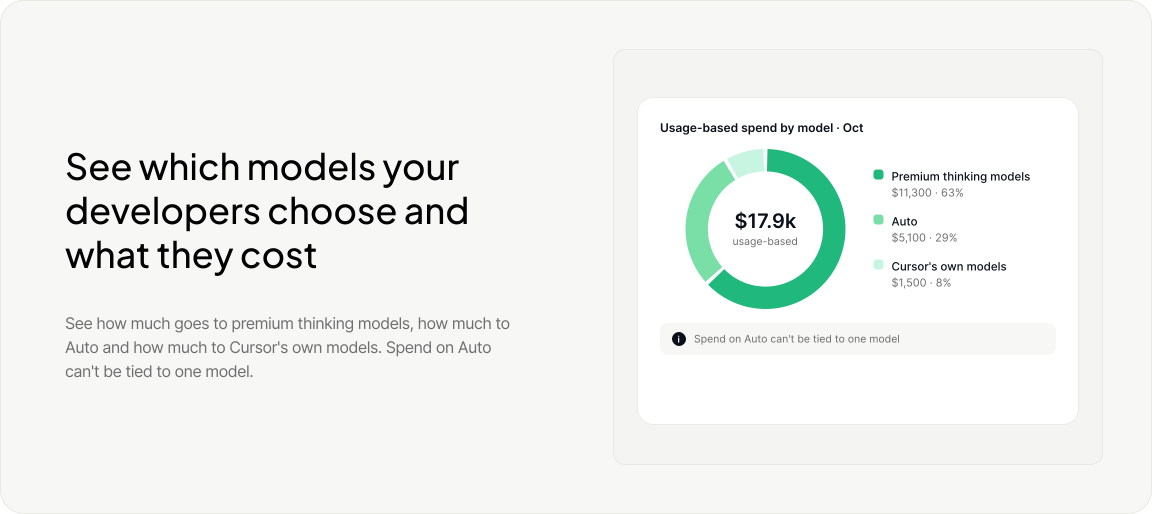
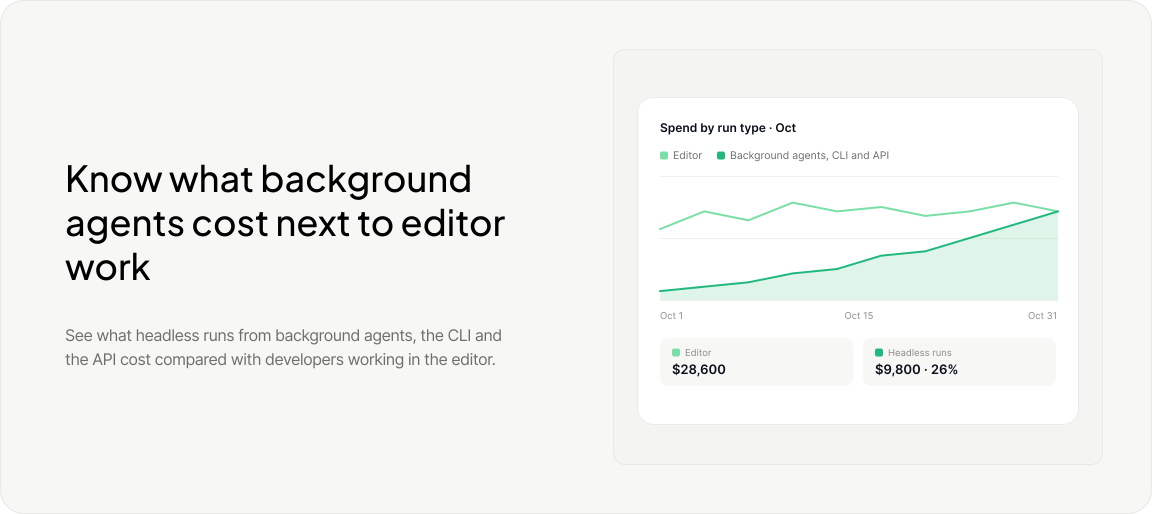
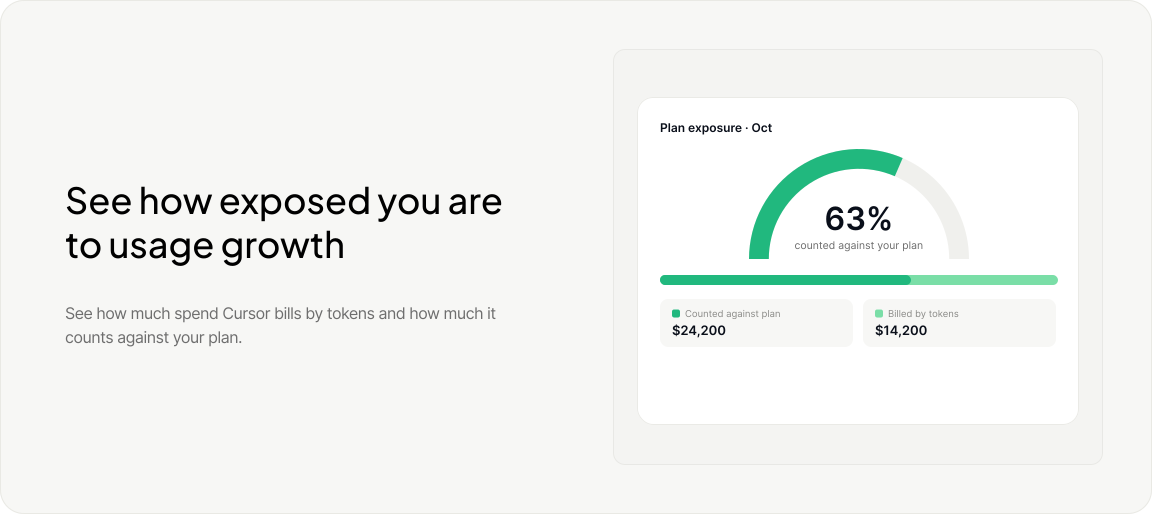
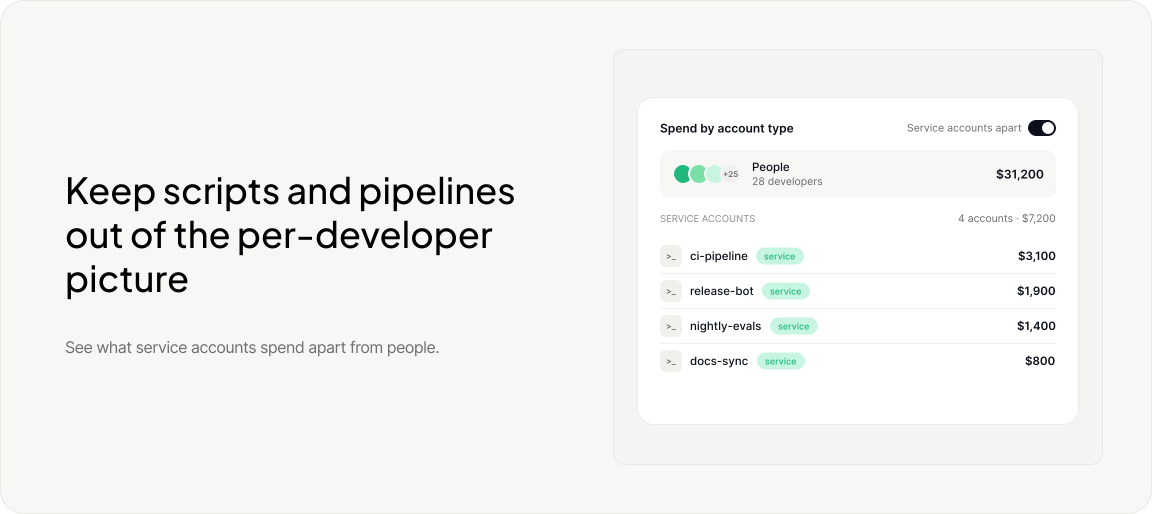
See Cursor next to the rest of your AI spend

Visibility
See cost, tokens, invocations and savings across your connected AI providers, down to the models, callers and teams behind them.

Governance
Set budgets and alert the people who own the spend, so teams keep building while owners stay informed.

ROI
Follow AI cost per inference, per thousand tokens and per customer for each AI feature, with realized savings reported.
Turn Cursor cost signals into work
Move from spotting a Cursor cost issue to a named owner, an alert on spikes and a budget that keeps spend against plan.
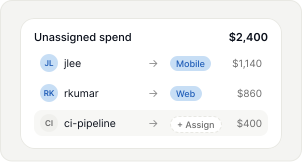
Owners
Map each developer to a team, so every share of Cursor spend has a leader who sees it and decides what to do.
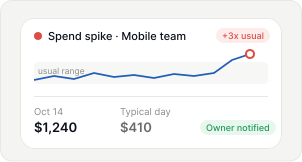
Spike alerts
Get an alert when Cursor spend moves away from its usual pattern, so your team can look into a spike early.
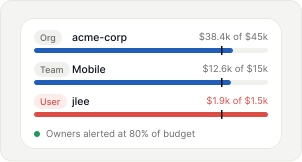
Budgets
Set a Cursor budget for the org, a team or a user, and alert the owner before it is spent while developers keep working.
Bring repo-level control to your GitHub spend


Connect Cursor to OneLens with a read-only Organization API key. OneLens then shows per-team and per-user cost attribution, which is what each team and member spends. Your Cursor organization needs an Enterprise plan, and the key must be created by a user with the Admin role.
In OneLens, set a budget at the org, team or user level. OneLens monitors Cursor spend against that budget and sends alerts, which gives each owner a figure to work to. The alerts inform your team, and developers keep working in Cursor as before.
OneLens runs cost anomaly detection on Cursor spend. When spend deviates from its historical pattern, OneLens alerts you, so your team can look into a spike early. You connect Cursor once with a read-only key, and the same connection feeds the attribution views and the alerts.
OneLens reads token usage and cost events, per-user daily activity, per-member spend, pool-level spend limits, and the identifiers userId, email and teamId. It does not access code, prompts, chats or completions, files, repos, or billing and payment details. The usage:* key is read-only, so it cannot change anything in your organization.
You need a Cursor Enterprise plan and a user with the Admin role to create the key. The key uses usage:* scope only, and the OneLens docs say not to issue an admin:* key. Setup takes about 5 minutes: create the key, find your Org ID, and connect and verify in OneLens.
No. The usage:* key is read-only on usage and spend endpoints. OneLens cannot manage members, groups, settings or spend limits, and it cannot invoke Agent, Chat or models. It has no access to your code, files or repos, and it stores the key encrypted at rest.
Yes. OneLens connects Cursor read-only alongside OpenAI, Claude, Bedrock, Gemini, Azure AI Foundry and LiteLLM. Connect each source once in OneLens, and a CTO can look at Cursor next to the rest of the AI spend in one place.