Turn every cost recommendation into lower spend, automatically
Recommendations pile up while the waste keeps billing. Action Center carries out each fix inside your own cloud, under the approvals you choose, then confirms the change and books the saving. It works across your clouds, Kubernetes and AI spend.
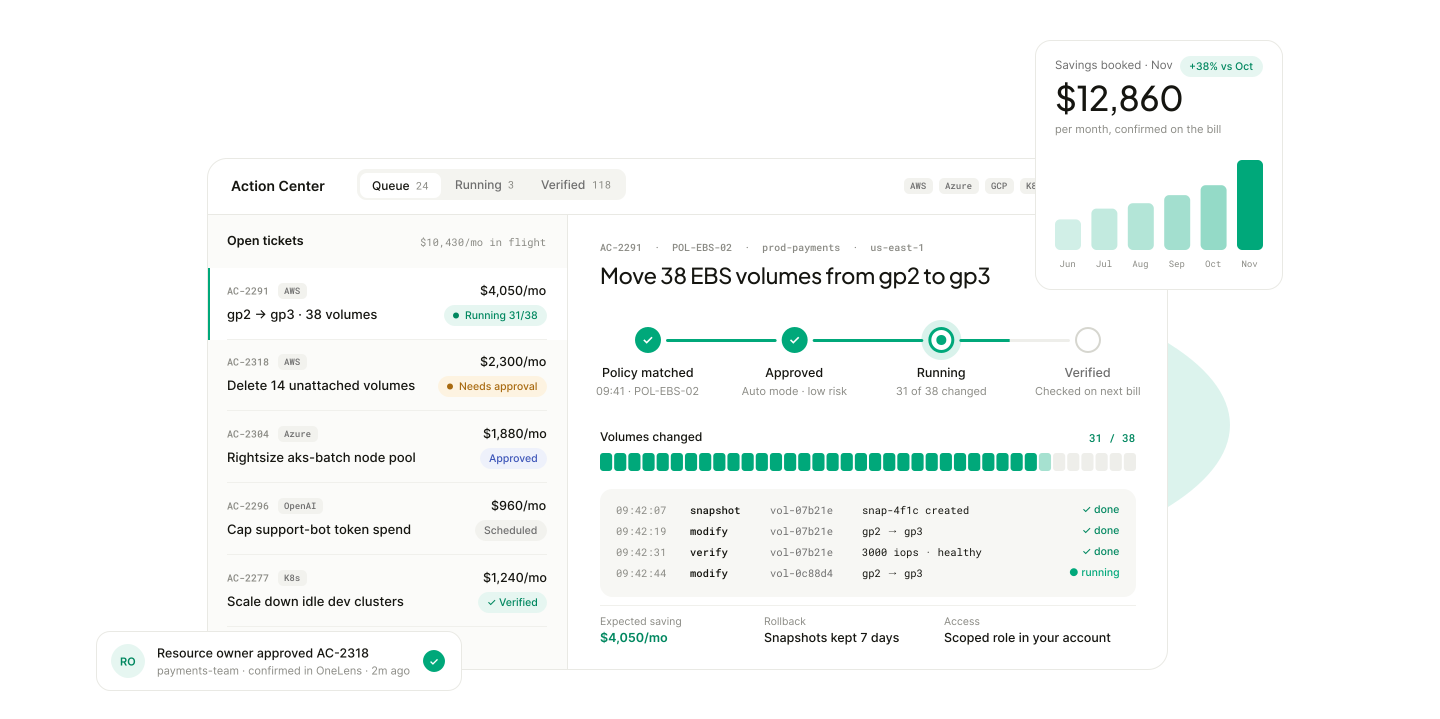
Pipeline from locked policy through approval, run and verification, with a $12,860 monthly savings card
Trusted by finance and engineering teams at
 DTDCairpayFi Kotak Mahindra BankChalo

30%

Average cloud and AI cost reduction

36 hrs

Median time to first cost insight

$2M+

Savings identified across customers

Savings stall between the recommendation and the change

Action Center turns each recommendation into a controlled, verified change.

Recommendations pile up

Tickets wait in someone's queue while the waste keeps billing every month.

Nobody wants to break production

Engineers hesitate to delete or resize without a safety net and a clear owner sign-off.

Savings are hard to prove

Even when a fix happens, it is rarely checked or booked against the recommendation.

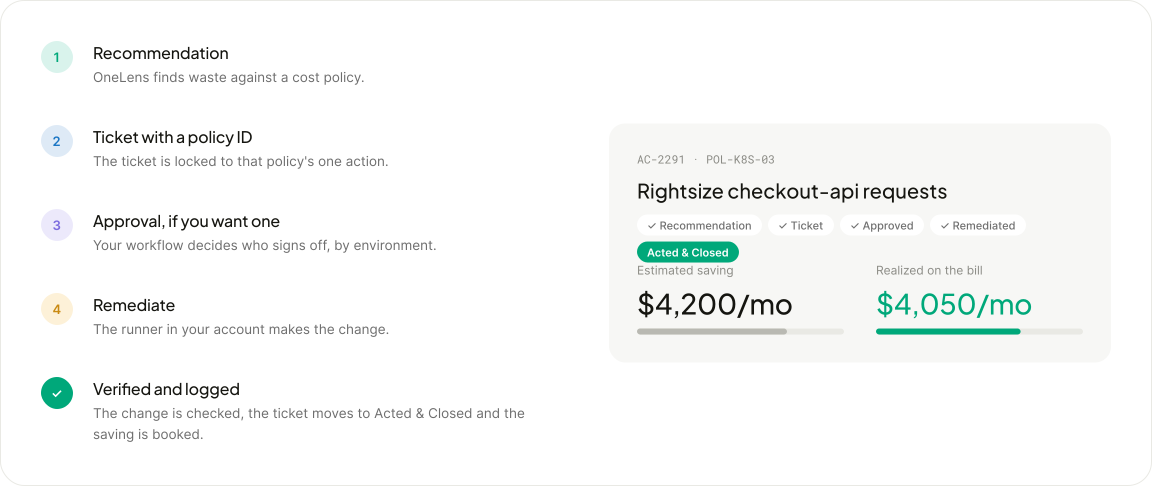
Every fix follows the same steps

One policy, one action: a ticket can only ever run the action tied to its policy, nothing else.
Ticket for rightsizing checkout-api, closed at $4,050 a month realized against $4,200 estimated

Clean up, resize, reconfigure and switch off

Action Center covers the fixes most savings come down to, across clouds, Kubernetes and AI spend.

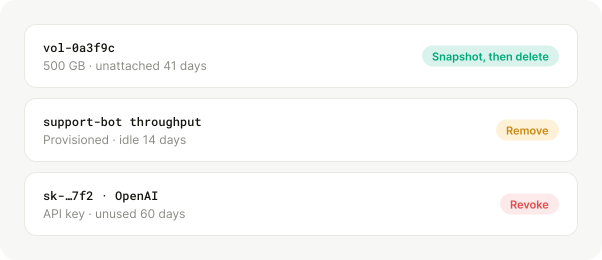
Clean up what nobody uses

Deletes unattached volumes after taking a snapshot, removes idle provisioned AI throughput, and revokes API keys and licenses no one uses.
List of fixes: snapshot and delete an unattached volume, remove idle AI throughput and revoke an unused OpenAI key

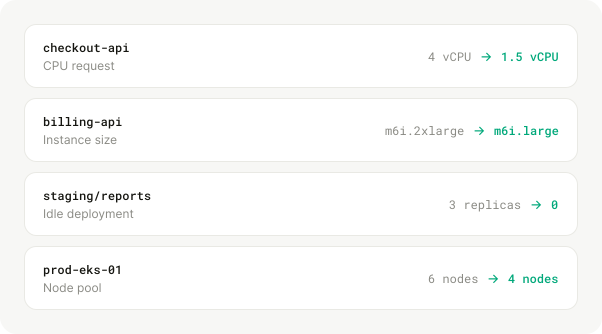
Resize what's overprovisioned

Rightsizes instances and Kubernetes CPU and memory requests, scales idle deployments to zero and consolidates underused nodes.
Rightsizing changes: checkout-api from 4 to 1.5 vCPU, billing-api to m6i.large, an idle staging deployment scaled to zero

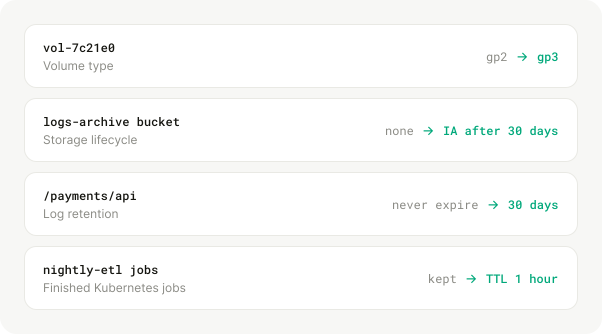
Change the configuration

Moves gp2 volumes to gp3, sets storage lifecycle and log retention, and puts a TTL on finished Kubernetes jobs.
Configuration changes: gp2 volume moved to gp3, 30-day storage lifecycle and log retention, and a 1-hour TTL on finished jobs

Schedule idle hours

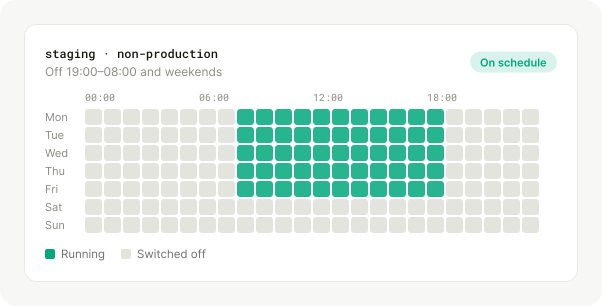
Stops idle VMs and databases, and switches non-production resources off outside working hours.
 →
Weekly schedule grid for a non-production staging environment, running 08:00 to 19:00 on weekdays and off at weekends

Cap AI spend

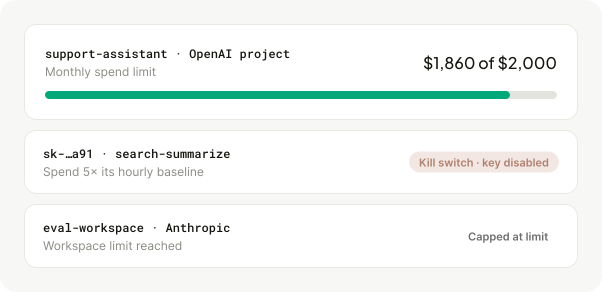
Sets spend limits on projects and workspaces, and hits the kill switch on any key whose costs run away.
AI spend limits: an OpenAI project at $1,860 of $2,000, a key disabled by the kill switch and an Anthropic workspace at its cap

You decide what needs approval, and by whom

Approval required
The ticket waits for its workflow and runs once the last approver says yes, such as deleting unattached volumes or rightsizing instances.
Delete 14 unattached volumes
Rightsize billing-api
Auto
Low-risk, reversible changes run as soon as the ticket is created, such as moving EBS gp2 to gp3 or setting log retention.
Move EBS gp2 to gp3
Set log retention to 30 days
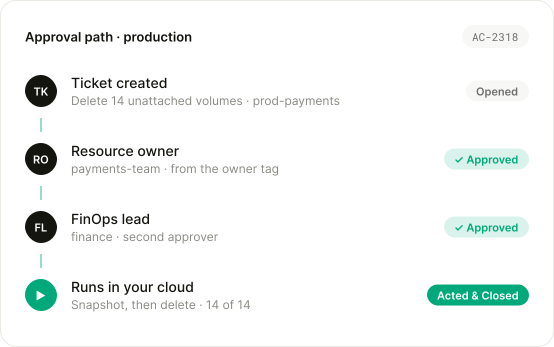
Approvers come from the owner tag and the path from the environment, so production goes to the resource owner, then the FinOps lead. Each approver is emailed at their turn and confirms in OneLens, so nothing runs from an email.
Approval path where the resource owner and FinOps lead approve before the change runs in your cloud

Runs inside your cloud, checked and reversible
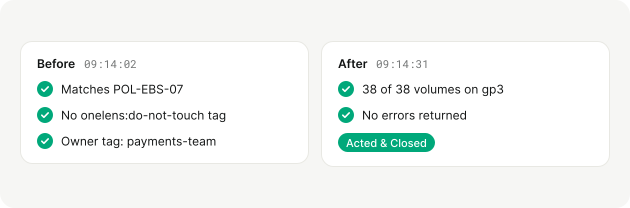
Before and after check confirming 38 of 38 volumes moved to gp3 with no errors

Checked before and after

Each run confirms the resource still matches the policy and isn't tagged onelens:do-not-touch, then checks that the change took effect.
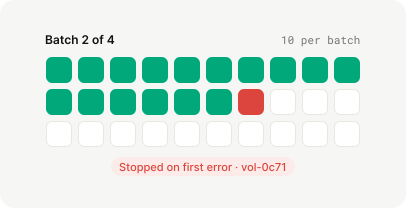
Batches of 10 resources, stopped at the first error in batch 2 so nothing is left half-changed

Capped blast radius

A run changes a bounded batch of resources and stops on the first error, so nothing is half-changed.
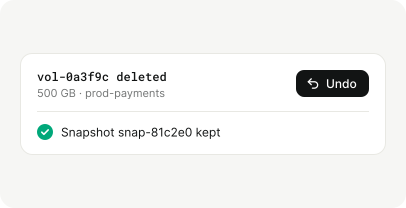
Deleted volume with its snapshot kept and an Undo button

Snapshot and undo

Deletes keep a snapshot you can restore, and every action has a one-click undo.
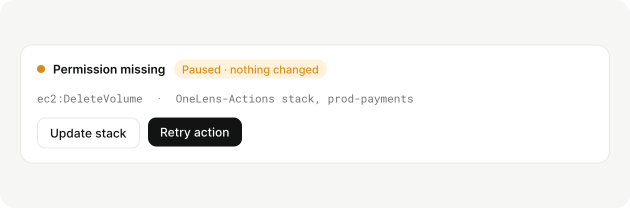
Action paused on a missing permission, with Update stack and Retry action buttons

Missing permission? Retry

Update the stack and run the action again.

Action Center acts on what the rest of OneLens finds

Cost optimization

Ranked savings become the tickets Action Center applies.
 →

Anomaly detection

Unusual spend points to the resource Action Center can fix.
 →

Scheduler insights

Idle hours in non-production show up as schedules Action Center can run.
 →

Start with one action, then expand as the savings land

Connect a source, turn on one high-value, low-risk policy and set who approves it. Watch it run, then verify the savings it lands in a full audit log.
What is Action Center?

The part of OneLens that applies cost fixes. It turns each finding into a ticket with one action, runs it inside your cloud once approved and tracks the saving.

What can Action Center change automatically?

It runs ready-made actions across AWS, Azure, Google Cloud, Kubernetes and AI providers. Examples include deleting unattached volumes, rightsizing Kubernetes requests and revoking unused keys. Low-risk, reversible changes can run in auto mode, while the rest wait for approval.

What access does Action Center need in our cloud?

Each source gets one connector with least privilege: a CloudFormation StackSet, IAM role and Lambda on AWS; Bicep and a Function App on Azure; a Terraform module and Cloud Run job on Google Cloud; a Helm chart on Kubernetes; and an encrypted admin API key or your cloud role for AI providers. Write permissions are used only by the actions you turn on.

How do we keep Action Center away from a resource?

Tag it onelens:do-not-touch. Every run checks for the tag before it acts and skips any resource that no longer matches the policy.

How does OneLens show what a fix actually saved?

It confirms each approved change was carried out and measures the saving that followed on the bill [confirm method]. Estimated and realized savings sit side by side for every ticket.