Give every dollar of technology spend an owner





30%
36 hrs
$2M+
Spend that has no owner is spend that nobody manages
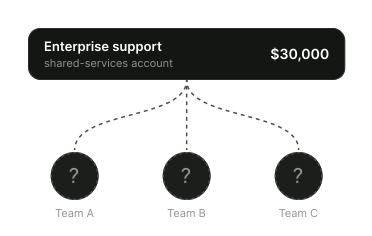
Shared costs land on one account
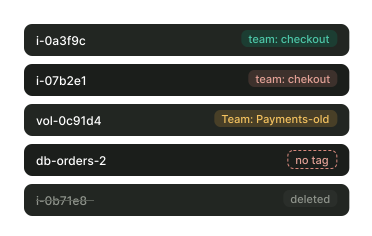
Tags were never complete
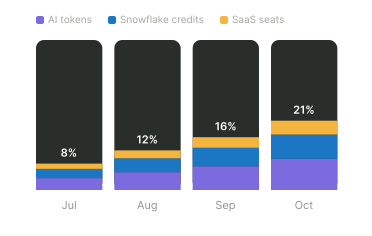
New spend arrives without any tags
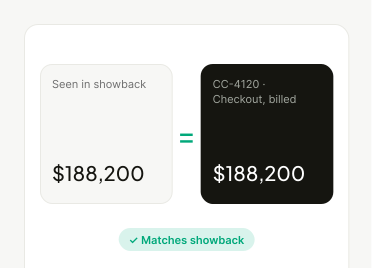
Showback shows teams what they use, while chargeback makes them pay for it

Showback
Chargeback
Moving from one to the other
Map every source to the way your business is organized
Allocate untagged spend without waiting for every tag to be fixed
Find untagged and mistagged resources
Virtual tags for what can’t be tagged
Fix history as well as today
Normalize tag values across clouds
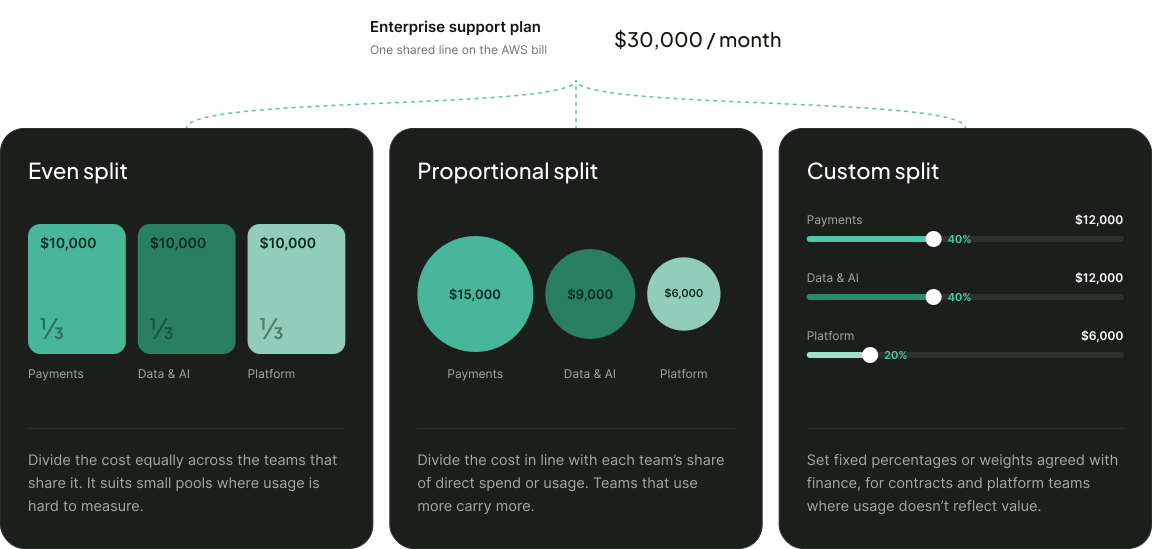
Split shared costs by a method every team can check
Split shared clusters down to the namespace, workload and label
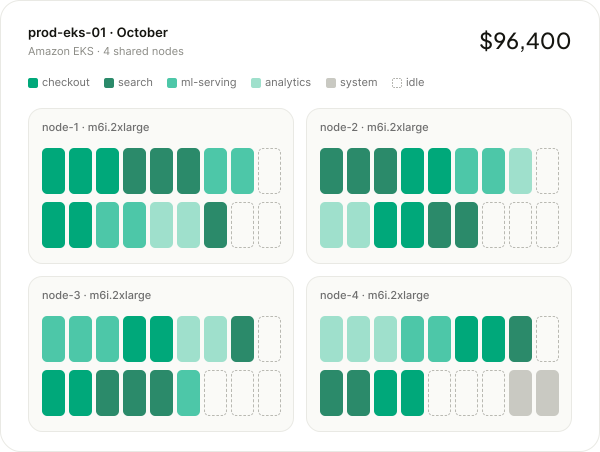
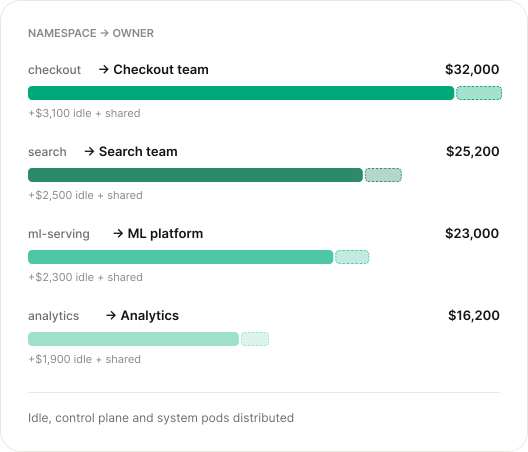
Namespace, workload or label
Idle and shared cluster cost
EKS, AKS and GKE
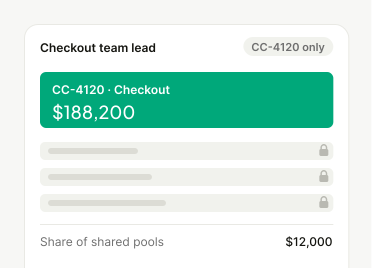
Each owner sees their costs while finance sees the whole picture
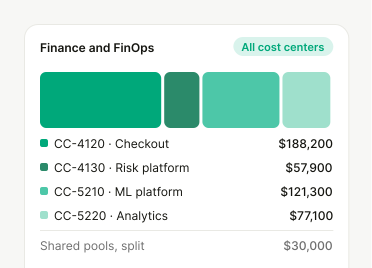
Finance and FinOps
Checkout team lead
Chargeback-ready numbers
Once every dollar has an owner, you can plan and price with it
Budgets & forecasts
Unit economics

Cost visibility
50+







Find out how much of your spend has an owner today
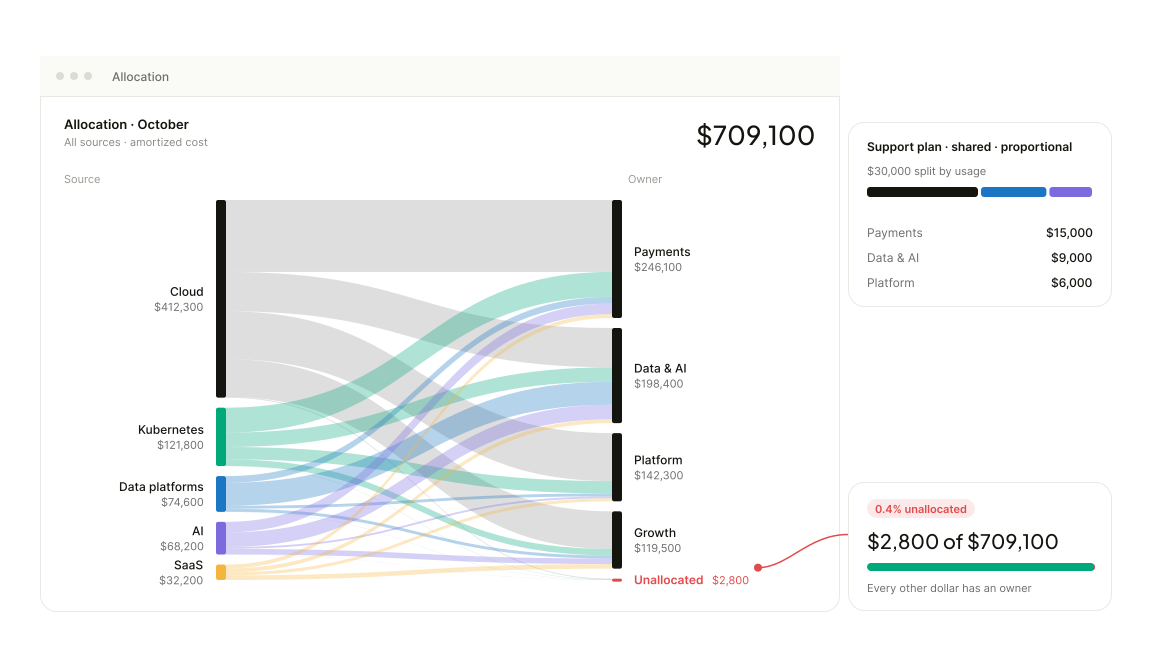
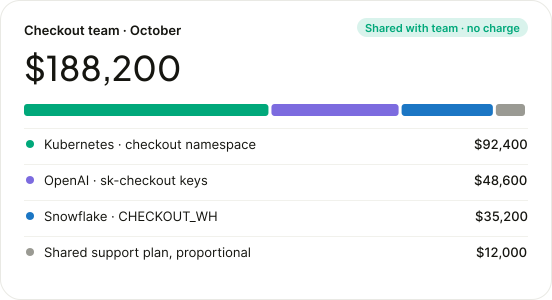
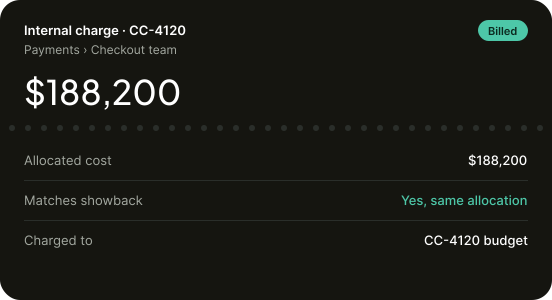
Showback shows each team the costs allocated to it, with no money changing hands. Chargeback bills those costs to the team's budget or cost center. Both use the same allocation in OneLens.
Most companies start with showback. It gives teams time to fix tags and agree on shared-cost splits before the numbers hit their budgets. Move to chargeback once teams trust the allocation.
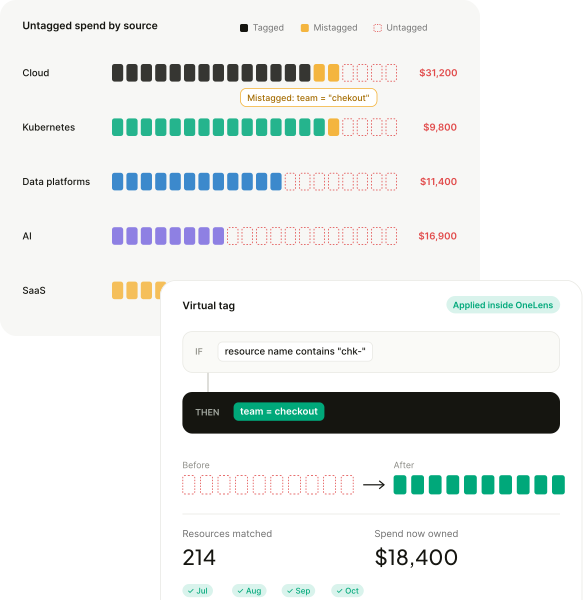
OneLens finds untagged and mistagged resources and shows how much spend they carry. Virtual tags then assign that spend to an owner inside OneLens, without changing the resource.
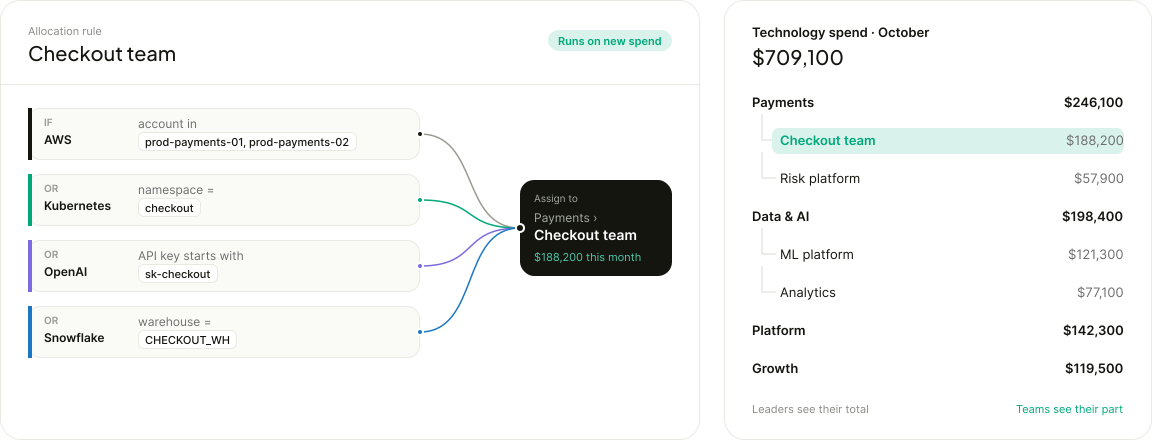
You pick a method for each shared pool: even, proportional to usage or spend, or custom percentages. Marketplace purchases, commitment amortization, MSP charges and custom data can all be split across teams.
Yes. The same allocation rules apply to OpenAI, Snowflake, BigQuery, GitHub and Cost360 sources. AI spend can be assigned by model, API key or caller.
OneLens prices each pod's CPU and memory and assigns it by namespace, workload or label. Idle capacity and shared cluster costs are distributed across pods. It works on EKS, AKS and GKE.
No. OneLens works with the tags, namespaces and labels you already have. Virtual tags fill the gaps while you fix tagging at the source.
Yes. Role-based access restricts visibility by cost center or any org dimension. Finance can see every cost center while each team sees only what is allocated to it.