Know your cost per customer, per API call, per inference, per anything

Send OneLens any business metric. It reads your cloud and AI bills, finds the usage behind each cost, and returns a unit cost that finance, product and engineering can all read.
Cloud and AI bill lines plus your own metrics flowing through OneLens into reconciled unit costs, such as $0.42 per 1,000 API calls
Trusted by finance and engineering teams at
 DTDCairpayFi Kotak Mahindra BankChalo

30%

Average cloud and AI cost reduction

36 hrs

Median time to first cost insight

$2M+

Savings identified across customers

Measure the unit your business runs on
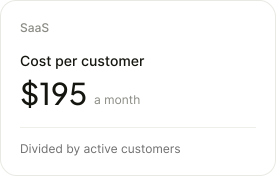
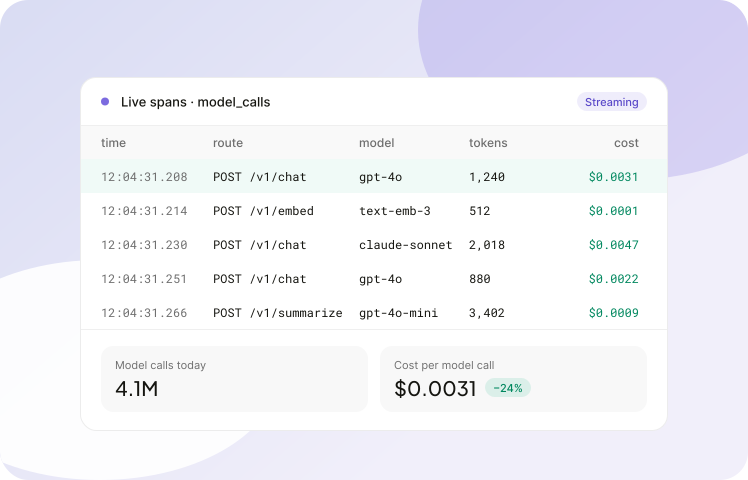
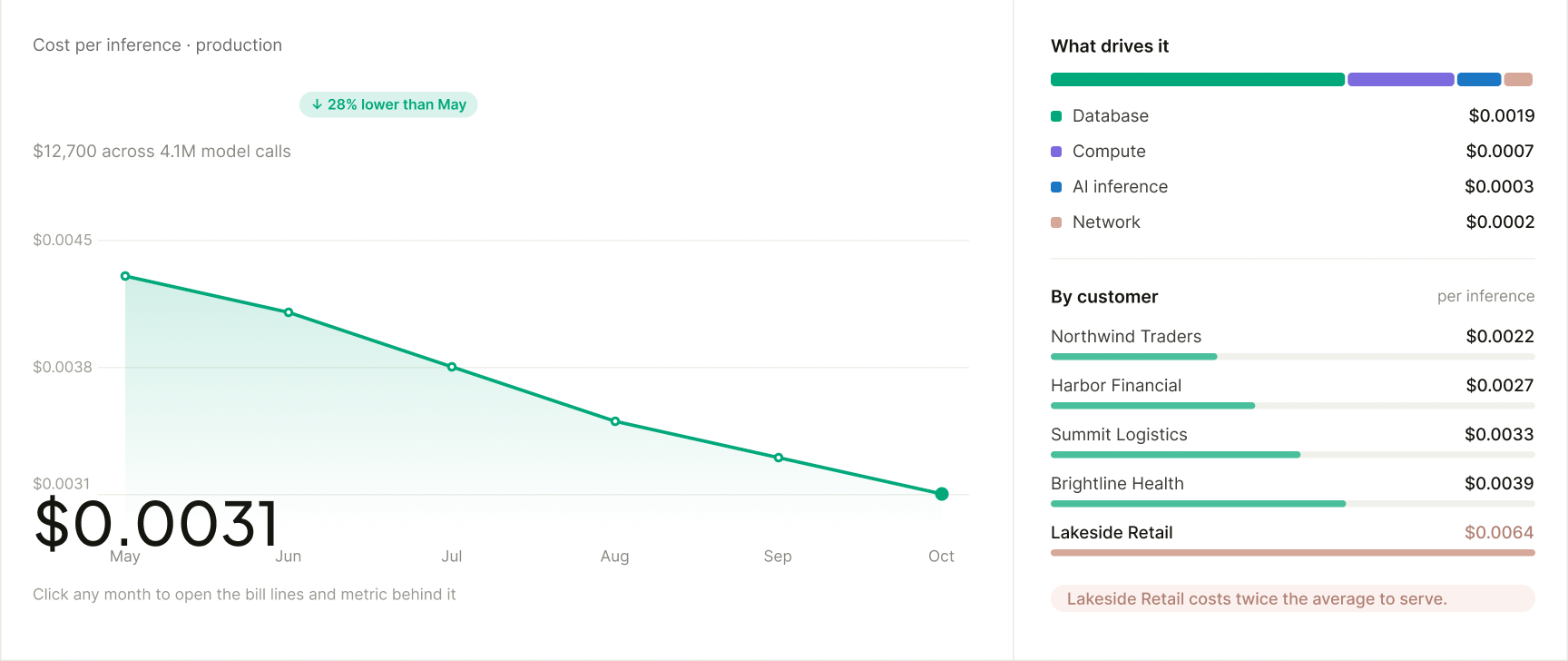
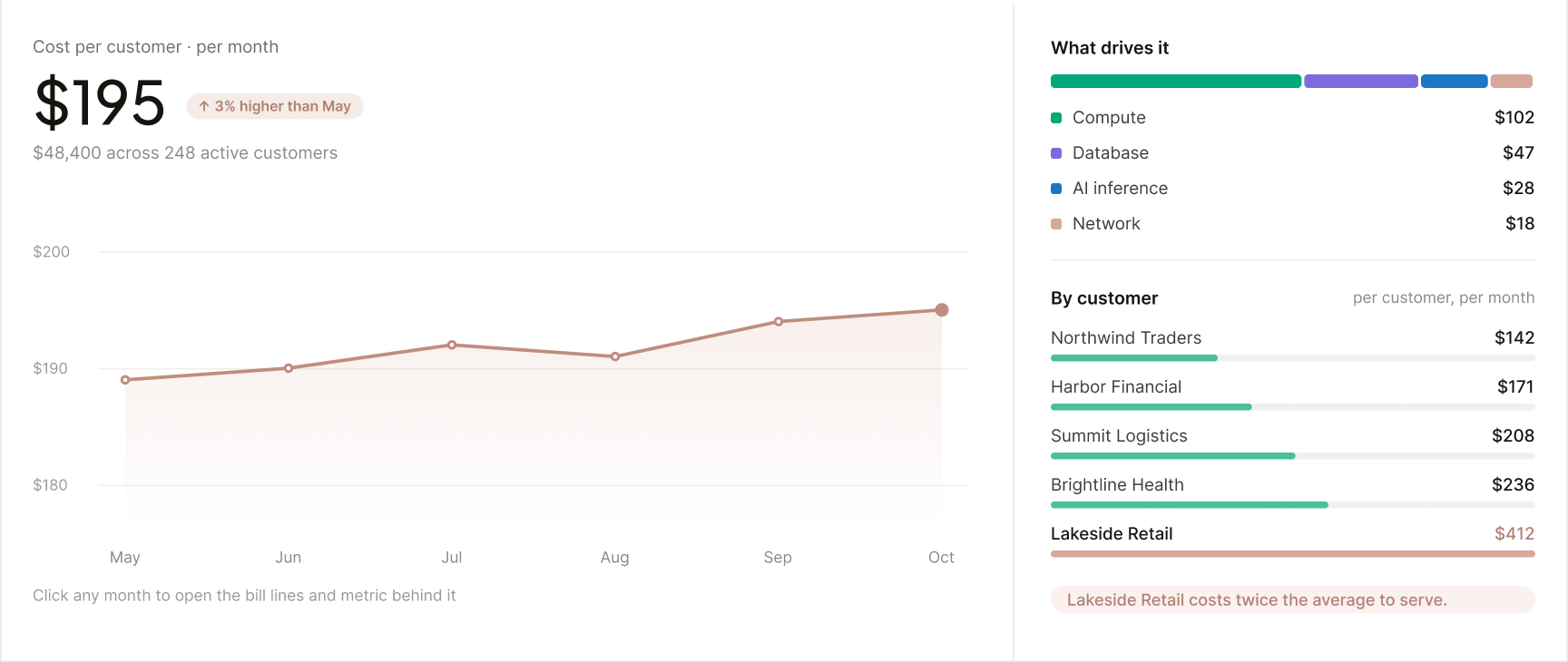
Cost per customer is one unit. The same bills also price an API call, a model inference, a payment or a gigabyte processed.
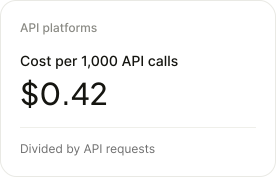
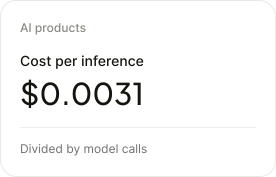
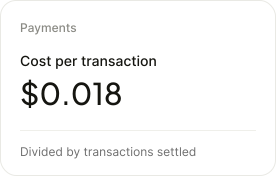
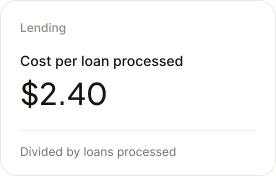
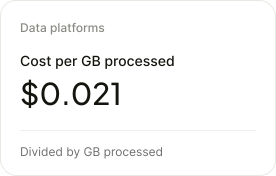
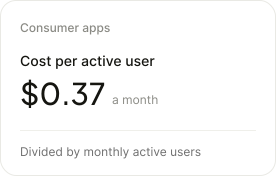
Eight unit cost cards with trend lines, including $0.42 per 1,000 API calls and $0.0031 per inference

Add revenue and every unit cost becomes a margin
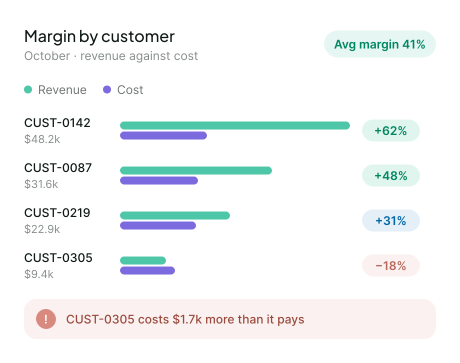
Send revenue as one more metric. OneLens sets it against cost to show margin by customer, plan or region, and which accounts cost more than they pay.
Revenue against cost per customer at 41% average margin, where CUST-0305 costs $1.7k more than it pays

If you can count it, OneLens can cost it
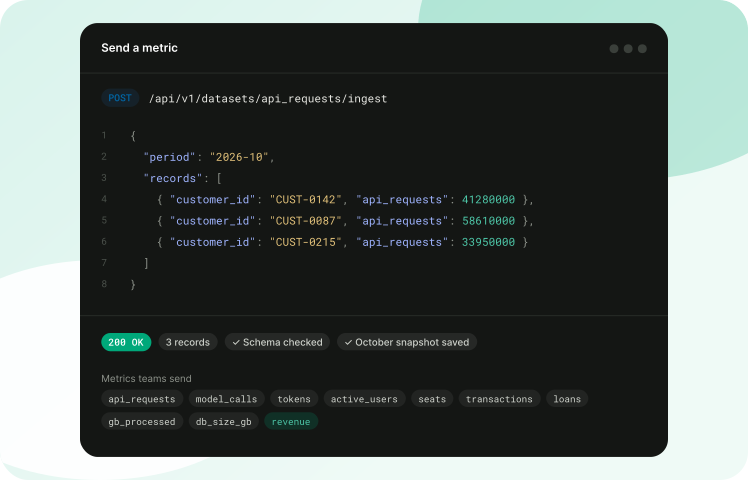
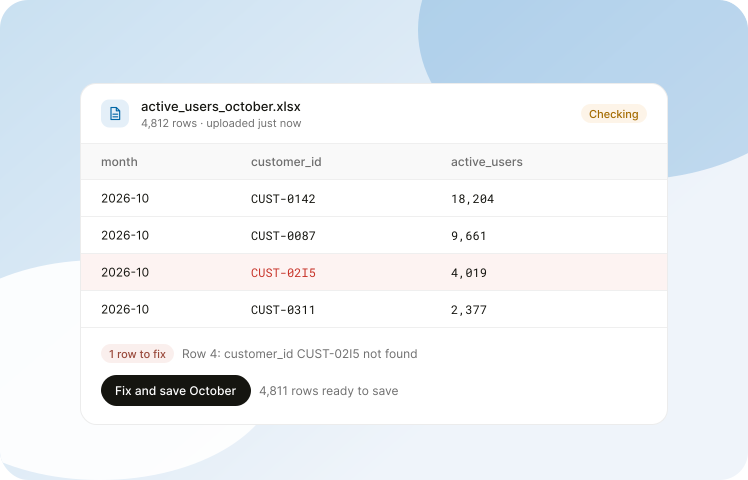
Push a metric through the API or upload a file. OneLens checks the schema, saves each month as its own snapshot and matches it to the costs it divides.

Every bill line traced to the customer that used it

A cloud bill runs to millions of lines, written in usage types only engineers read. OneLens reads each line, works out what it is and who used it, and splits shared cost by the usage that drives it.
AWS CUR line for m6i.2xlarge usage on shared-api-cluster costing $31,420
01
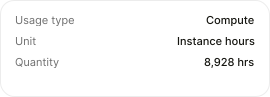
Usage record showing 8,928 compute instance hours

Reads every usage type

Instance hours, storage, transfer, queries and tokens from every cloud and AI source.
02
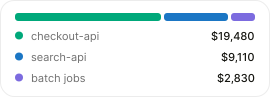
Shared cost split by usage: checkout-api $19,480, search-api $9,110 and batch jobs $2,830

Splits shared cost by real usage

Shared databases, clusters and networks are split by the metric that drives them.
03
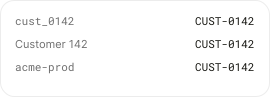
Customer 142 and acme-prod matched to the single ID CUST-0142

Joins your metrics to the right cost

It matches names spelled three ways, lines up periods and converts every currency.
04
Checks showing 100% matched to the bill, 2 unmatched names flagged and no late data

Checks before it publishes

It flags late data, unmatched names and totals that miss the bill, with the dollars at stake.
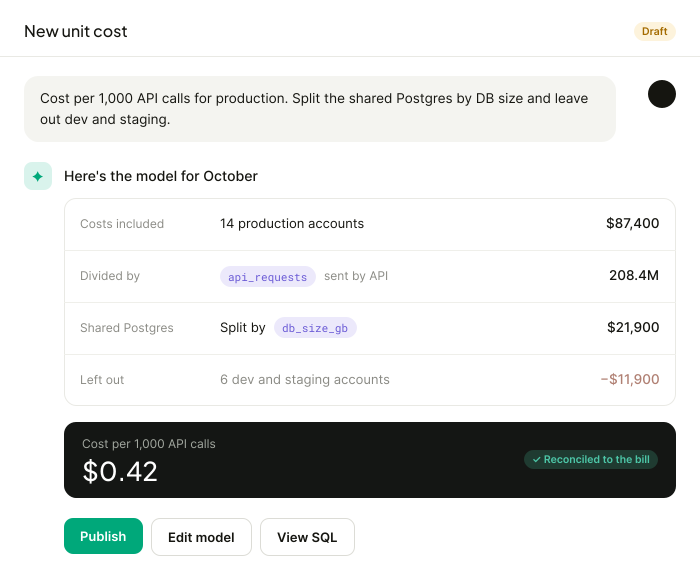
AI turns a plain-English request into a model giving $0.42 per 1,000 API calls, reconciled to the bill
Describe the unit. AI builds the model
Type what you want to measure the way you would ask a colleague. OneLens picks the costs, the metric and the split, then shows you the number before anything publishes.
Suggests a driver for each shared cost
It proposes splits from metrics you've sent, like DB size for a shared Postgres or search requests for a cluster.
Previews the result before it goes live
The draft shows the unit cost, the costs behind it, what was left out and any dollars it couldn't assign.
Writes SQL your engineers can open
Every model is SQL underneath. Engineers can read it, edit it and see exactly what was summed and divided.

Built for teams that want the whole picture
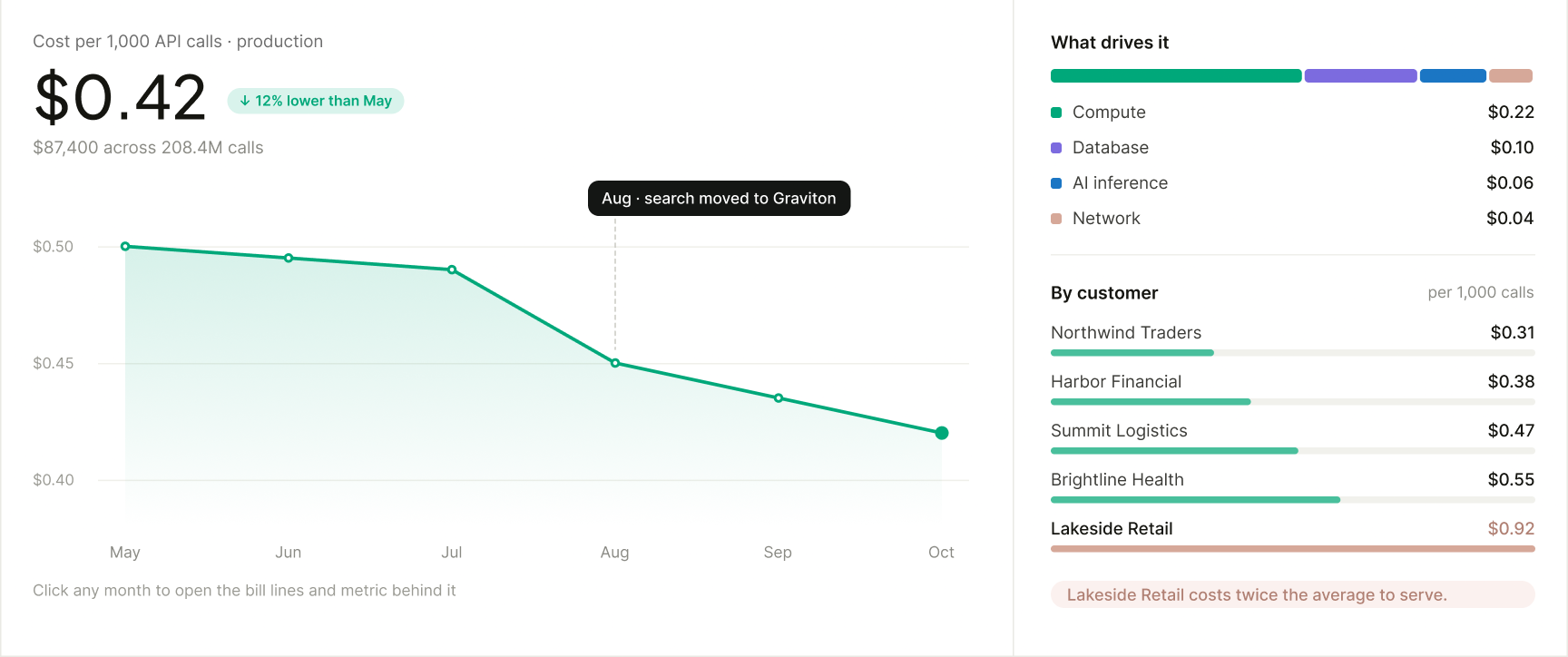
Each unit cost comes with its trend, what drives it, the customers behind it and the bill lines underneath. Finance, product and engineering read the same number and see why it moved.
Refreshes on its own
Runs on schedule once your bills and metrics land.
Drill to the bill line
Click any number to open the costs and the metric behind it.
Any currency
Report in USD, INR or both from one monthly rate.
Share anywhere
Dashboards, Slack, email and CSV exports.

Teams make cost optimization part of everyday engineering

50+

Integrations
AWSGoogle Cloud Azure KubernetesSnowflakeOpenAIAnthropic Databricks
airpay
β€œ
Astuto OneLens has allowed us to embed cost optimization into our day-to-day engineering workflows. It’s no longer a separate task, it’s a mindset.
Mohammed Zeeshan Shaikh
DevOps Lead, airpay
β€œ
OneLens has greatly improved our visibility into Business to Service mapping, allowing us to track costs more accurately through dedicated cost centers.
Naveen Ale
DevOps Engineer, DTDC
DTDC
G2 rating of 4.6 out of 5
4.6 /5
G2 rating of 4.6 out of 5
Rating on G2
AICPA SOC 2ISO 27001 certified

Find the cost of anything you sell, and what it earns back

Bring one bill and one metric. In a 30-minute demo, we'll show you your first unit cost.
Book a demo
Which metrics can we use?

Anything you count by day or by month, such as API calls, model calls, tokens, seats, transactions, active users or GB processed. Send it by API or upload a CSV.

Do we have to write SQL?

No. Describe the unit and OneLens drafts the model and the SQL. Engineers who want to can open the SQL and edit it.

Do we need perfect tagging first?

No. OneLens splits untagged and shared cost by usage, matches names spelled different ways and flags anything it can't place.

What if a metric arrives late?

You choose per metric. Hold the report, use last month's data or publish with what's there. The owner gets an alert either way.

Can we report in more than one currency?

Yes. Set a default currency, add secondary ones, and enter or fetch one rate a month. Bills in INR and USD land in one report.

Does it change our cost allocation data?

No. Unit economics reads from your cost allocation and never writes back to it. Published months stay as they were.