Find the cloud savings other tools miss, and fix them automatically
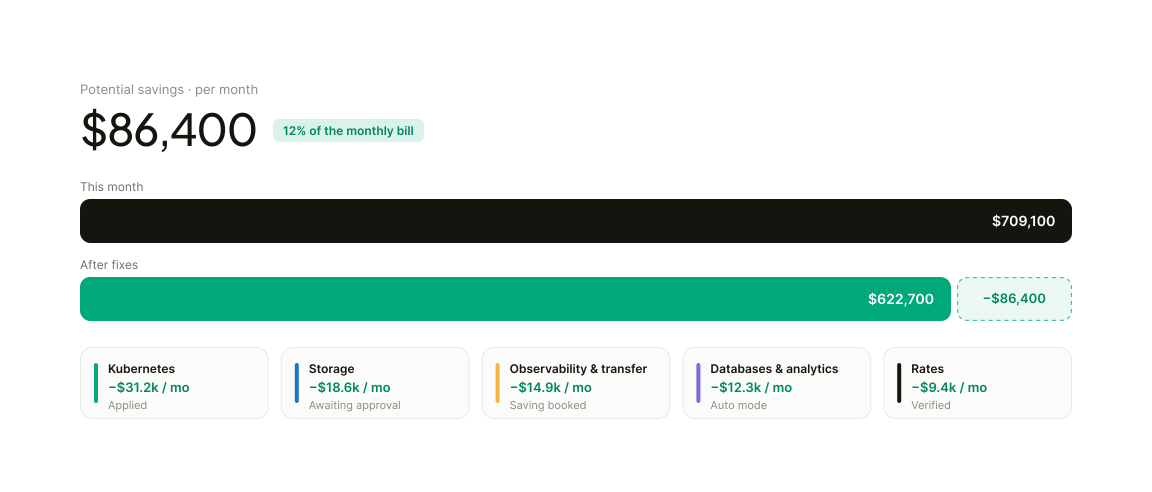
OneLens ranks savings across Kubernetes, storage, logs, data platforms, commitments and data transfer by what each fix is worth. Action Center then makes the change in your account and books the saving, with your approval where you want it.
Dashboard showing $86,400 a month in potential savings, cutting a $709,100 bill to $622,700 across five savings areas
Trusted by finance and engineering teams at
 DTDCairpayFi Kotak Mahindra BankChalo

30%

Average cloud and AI cost reduction

36 hrs

Median time to first cost insight

$2M+

Savings identified across customers

Most savings never make it to the bill
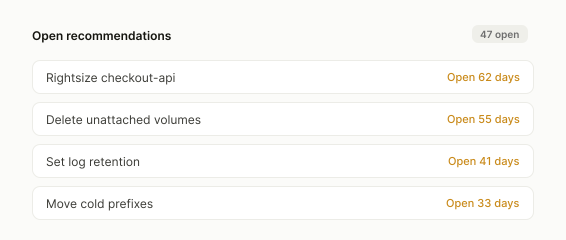
List of 47 open rightsizing and cleanup recommendations, waiting 33 to 62 days

Findings sit in a backlog

Recommendations land in a report, nobody changes the resource, and next month's bill looks the same.
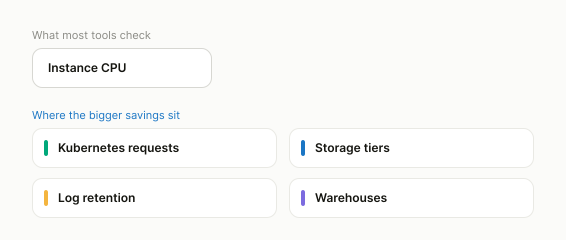
Instance CPU, the one thing most tools check, beside Kubernetes requests, storage tiers, log retention and warehouses

Rightsizing stops at the VM

Most tools check instance CPU, while the bigger savings sit in Kubernetes requests, storage tiers, log retention and warehouses.
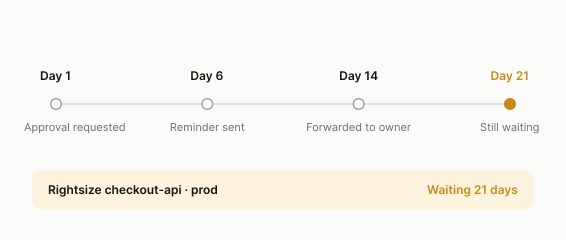
Approval timeline where a checkout-api rightsizing change waits 21 days for sign-off

Production changes stall

Engineers won't touch production without sign-off, and approvals by email take weeks.
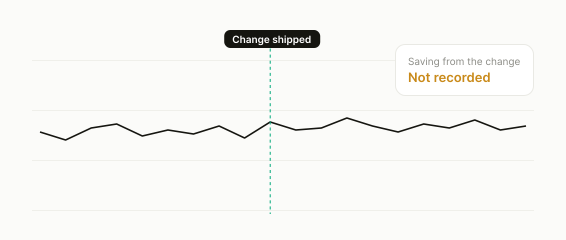
Cost line flat after a change shipped, with its saving marked Not recorded

Nobody can prove the saving

Once a change ships, the saving disappears into the next bill with no record of what it was worth.

Action Center turns each finding into a fix your team approves
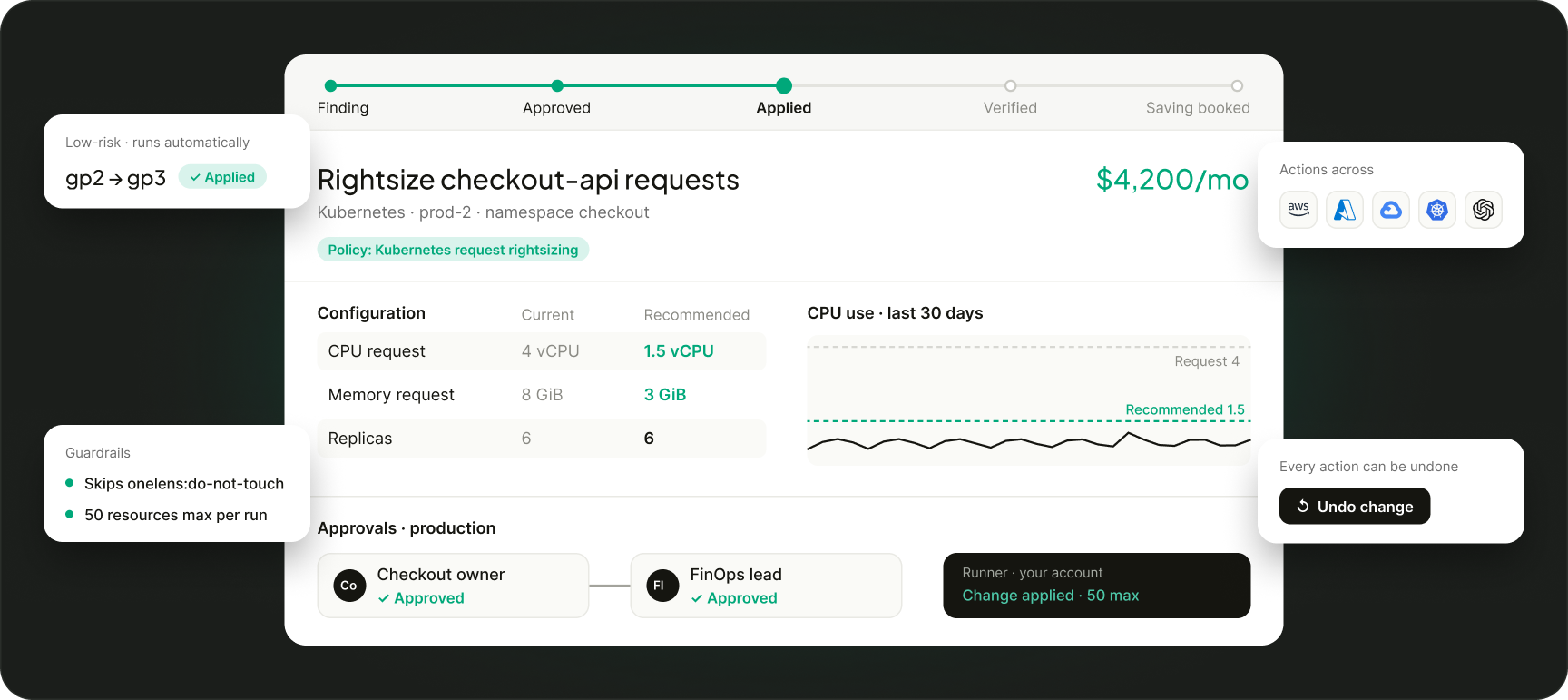
Action Center takes each one through five steps, so savings reach the bill instead of a backlog.
Action Center ticket to rightsize checkout-api requests, worth $4,200 a month, approved by the owner and FinOps lead

From finding to booked saving

Each fix runs as a ticket. After optional approval, a runner in your account makes the change and OneLens books the verified saving.

What it can change

Actions across AWS, Azure, Google Cloud, Kubernetes and AI providers, from rightsizing to retention.

Approvals set by environment

Low-risk changes like gp2 to gp3 run automatically. Production follows its own workflow, such as owner then FinOps lead.

Guardrails and rollback

Each run skips anything tagged onelens:do-not-touch, changes at most 50 resources, and every action can be undone.

Savings across every lever, down to the resource behind them
OneLens ranks findings in five areas and shows the workload, bucket, log group or query behind each one.
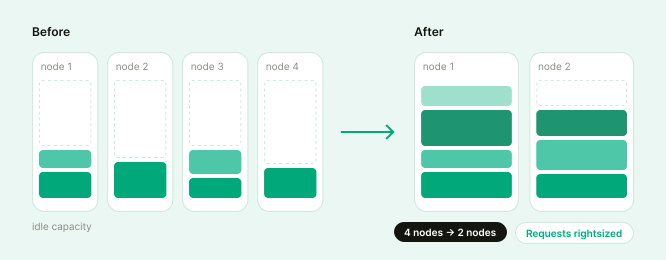
Kubernetes nodes consolidated from four to two after requests are rightsized

Kubernetes

Rightsize workloads and node pools on EKS, AKS and GKE, then let Action Center apply the change.
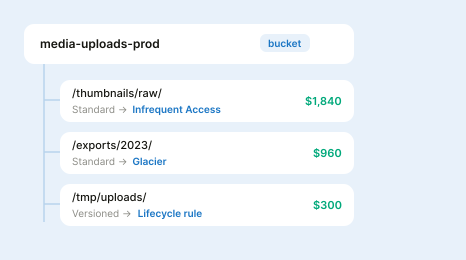
Storage prefixes moved to Infrequent Access, Glacier and lifecycle rules, saving $300 to $1,840 each

Storage

Tiering, lifecycle and versioning savings across S3, Azure Storage and Google Cloud Storage, down to the prefix.
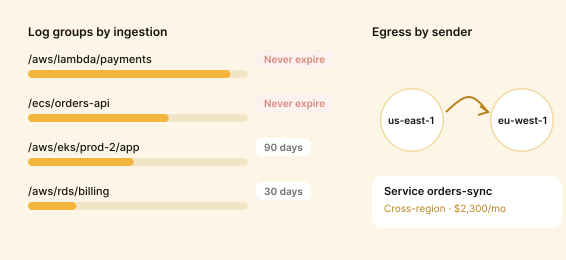
Log groups by ingestion with retention settings, and cross-region egress costing $2,300 a month

Observability and data transfer

Cut noisy logs, retention and high-cardinality metrics, and trace egress charges to the service sending the traffic.
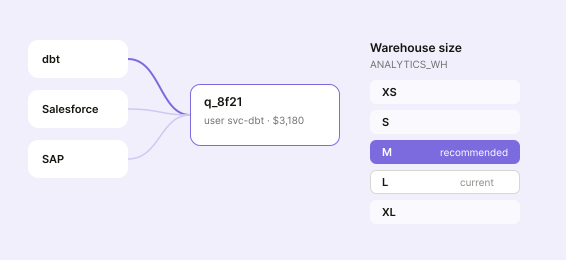
dbt, Salesforce and SAP feeding one $3,180 query, with the warehouse resized from L to M

Databases and analytics

Trace BigQuery and Snowflake spend to the query, user and source system, then size slots and warehouses to match.

Rates

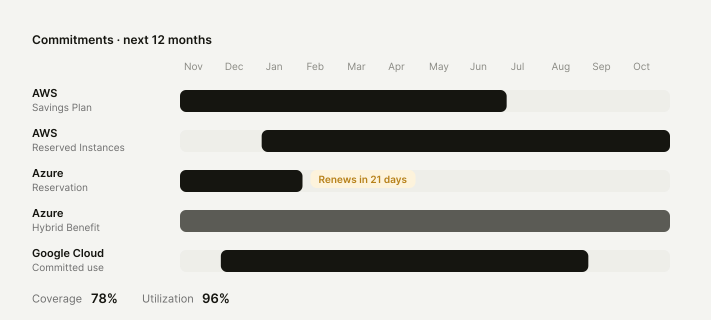
Savings Plans, reservations, Hybrid Benefit and committed use discounts, covered as deeply on Azure and Google Cloud as on AWS.
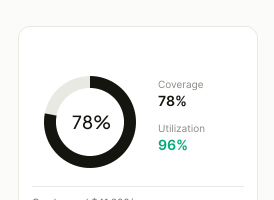
12-month commitments for AWS, Azure and Google Cloud at 78% coverage and 96% utilization

Idle resources and commitments are covered too
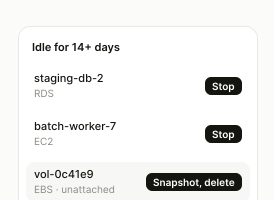
Idle databases, VMs and unattached volumes with Stop and Snapshot, delete actions

Idle resources

Stop idle VMs and databases, and delete unattached volumes after a snapshot.
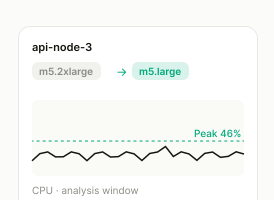
CPU for api-node-3 peaking at 46%, with a move from m5.2xlarge to m5.large

Instance rightsizing

Rightsize VMs from the highest usage seen over the analysis window.
Donut chart of 78% commitment coverage and 96% utilization

Commitment coverage

Track coverage and utilization of Savings Plans, Reserved Instances, reservations and committed use discounts.
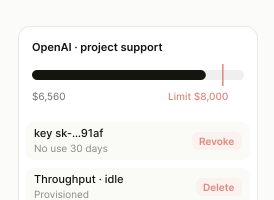
OpenAI project at $6,560 of an $8,000 limit, with unused keys to revoke

AI spend limits

Set project spend limits, delete idle provisioned throughput and revoke unused keys.

Seeing the spend comes first, and the savings follow
Cost visibility shows where the money goes. This page finds the savings, and Action Center fixes them.
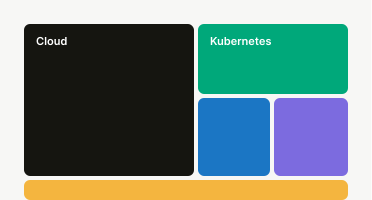
Treemap of cloud spend by Cloud, Kubernetes and other sources

See where the money goes

See the workload, query and token behind every cost.
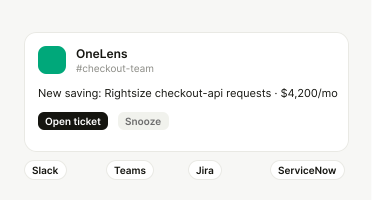
Slack alert in #checkout-team for a $4,200 a month saving, with Open ticket and Snooze

Get findings to the right people

Send savings alerts and tickets to Slack, Teams, Jira or ServiceNow, where owners already work.
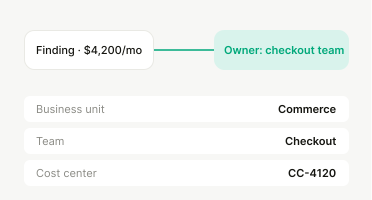
$4,200 a month finding assigned to the checkout team, with business unit and cost center

Give every saving an owner

Allocate costs to teams so each finding reaches the people who can act on it.

Teams make cost optimization part of everyday engineering

50+

Integrations
AWSGoogle Cloud AzureKubernetes SnowflakeOpenAIAnthropicDatabricks
airpay
“
Astuto OneLens has allowed us to embed cost optimization into our day-to-day engineering workflows. It’s no longer a separate task, it’s a mindset.
Mohammed Zeeshan Shaikh
DevOps Lead, airpay
“
OneLens has greatly improved our visibility into Business to Service mapping, allowing us to track costs more accurately through dedicated cost centers.
Naveen Ale
DevOps Engineer, DTDC
DTDC
G2 rating of 4.6 out of 5
4.6 /5
Rating on G2
AICPA SOC 2ISO 27001 certified

See your ranked savings list within 36 hours

Connect a cloud account with read-only access. OneLens shows your first cost and savings insights within 36 hours, ranked by what to fix first.
Book a demo
How is OneLens different from tools that just rightsize?

Rightsizing tools look at instance CPU. OneLens also finds the prefix in the wrong tier, the log group with no retention and the dbt model scanning too much. Action Center then applies fixes such as log and storage retention, with your approval where you require it.

What can Action Center change automatically, and how do I control it?

It runs about 60 actions, from rightsizing Kubernetes requests to setting log retention and stopping idle VMs. Low-risk, reversible changes can run in auto mode; the rest wait for the approvers set for each environment. Nothing runs from an email, requests expire, and every action has a one-click undo.

Do you cover Snowflake and BigQuery?

Yes. OneLens finds BigQuery and Snowflake savings such as unpartitioned tables, oversized warehouses and idle slots, and recommends slot and warehouse sizes [confirm]. Your team applies them; Action Center does not resize them.

How do you cut observability costs without losing visibility?

OneLens shows which log groups, log levels and metrics drive cost, and which workloads write them. You cut debug noise, unneeded retention and high-cardinality dimensions while keeping the logs and alerts your teams use [confirm].

Which clouds does each lever cover?

Kubernetes covers EKS, AKS and GKE, and data platforms cover BigQuery and Snowflake. Observability covers CloudWatch, Azure Monitor and Google Cloud Logging [confirm]. Rates cover Savings Plans, Reserved Instances, Azure reservations and Google Cloud committed use discounts [confirm]. Ask us which providers storage and data transfer cover today [confirm per lever].

Will a rightsizing recommendation break my workloads?

Recommendations are anchored to the highest usage observed over the analysis window, so they keep the headroom your workloads have needed. Kubernetes recommendations use 30 days of continuous CPU and memory data. You decide which changes to make.

Does OneLens make changes in my cloud accounts?

Not by default. Finding savings needs read-only access to billing, resource and usage data. Action Center runs inside your account with least privilege, such as a Lambda runner on AWS or a Cloud Run job on Google Cloud. Its write permissions are used only by the actions you turn on.

Can we track savings after we make a change?

Each Action Center ticket runs from the finding to a verified change, then closes and books the saving. The booked saving stays with the ticket, so you can see what each change saved [confirm realized savings reporting].